
Talk to the cars around you.
RevTalk is a navigation app with a voice line built in. It puts nearby drivers on a live map and opens the line when you come into range, and your crew stays connected wherever they are.
Coming soon to iPhone and Android. Built for motor enthusiasts. Screens on this page show a simulated map and drivers.Pick a car. Drive. Talk.
No calls to make, no channels to join. If you are close, you are on the line.
-
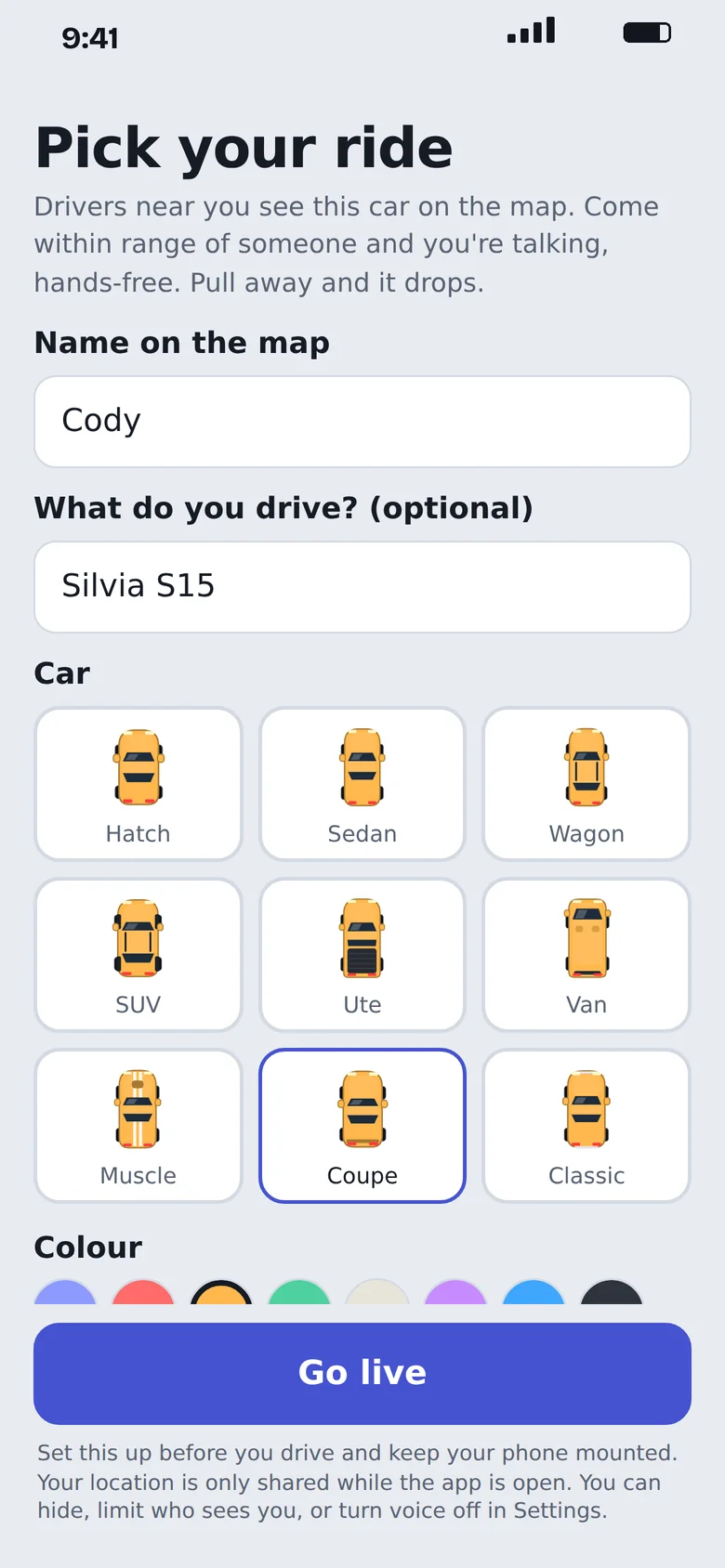
Pick your ride
Choose a car, a colour, and a plate if you want one. That is what other drivers see on the map.
-
Drive
Nearby drivers appear on a live map. Come within range and the line opens by itself.
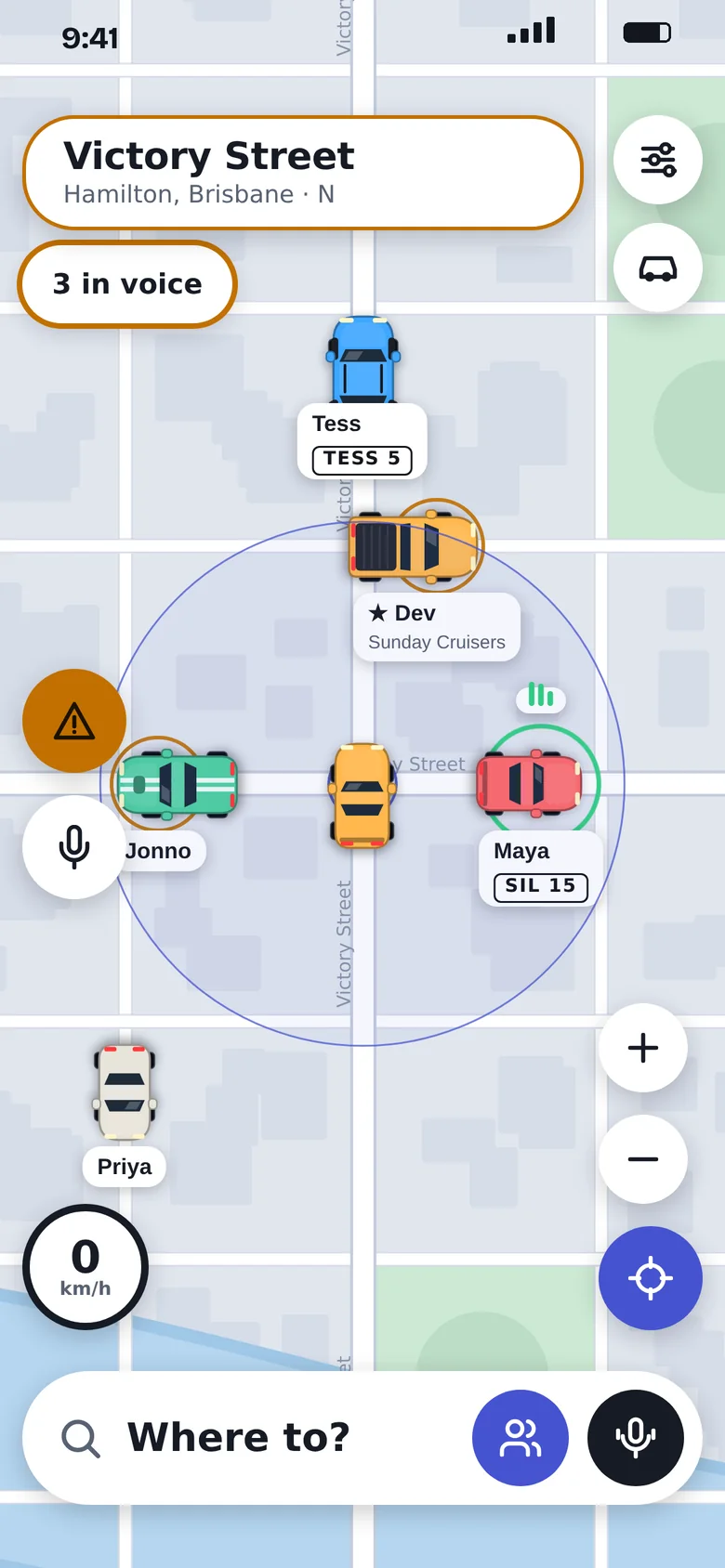
-
Talk
Say what you would say beside them at the lights. Pull away and the line closes.
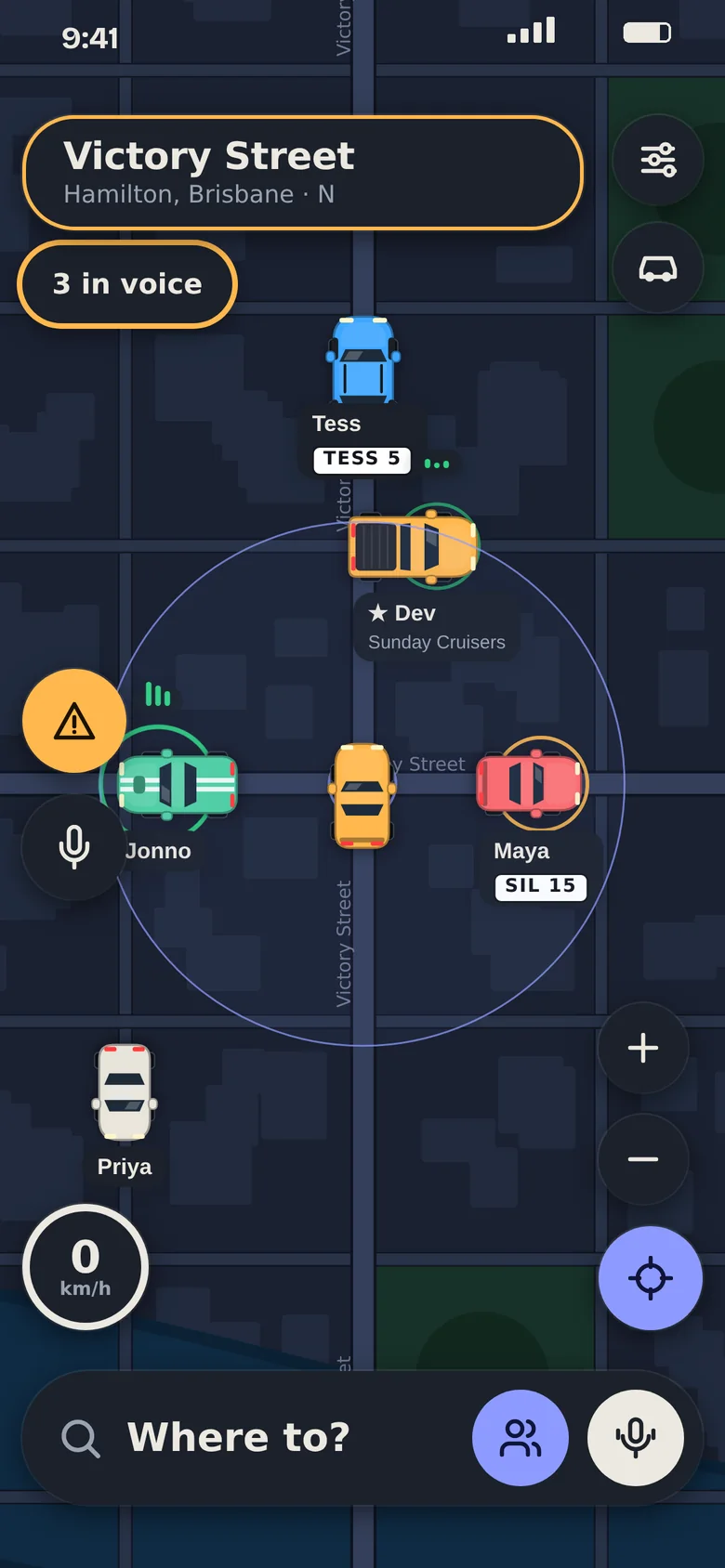
Built for the drive.
Navigation, voice and road reports in one app. Set it up before you roll, then leave the screen alone.
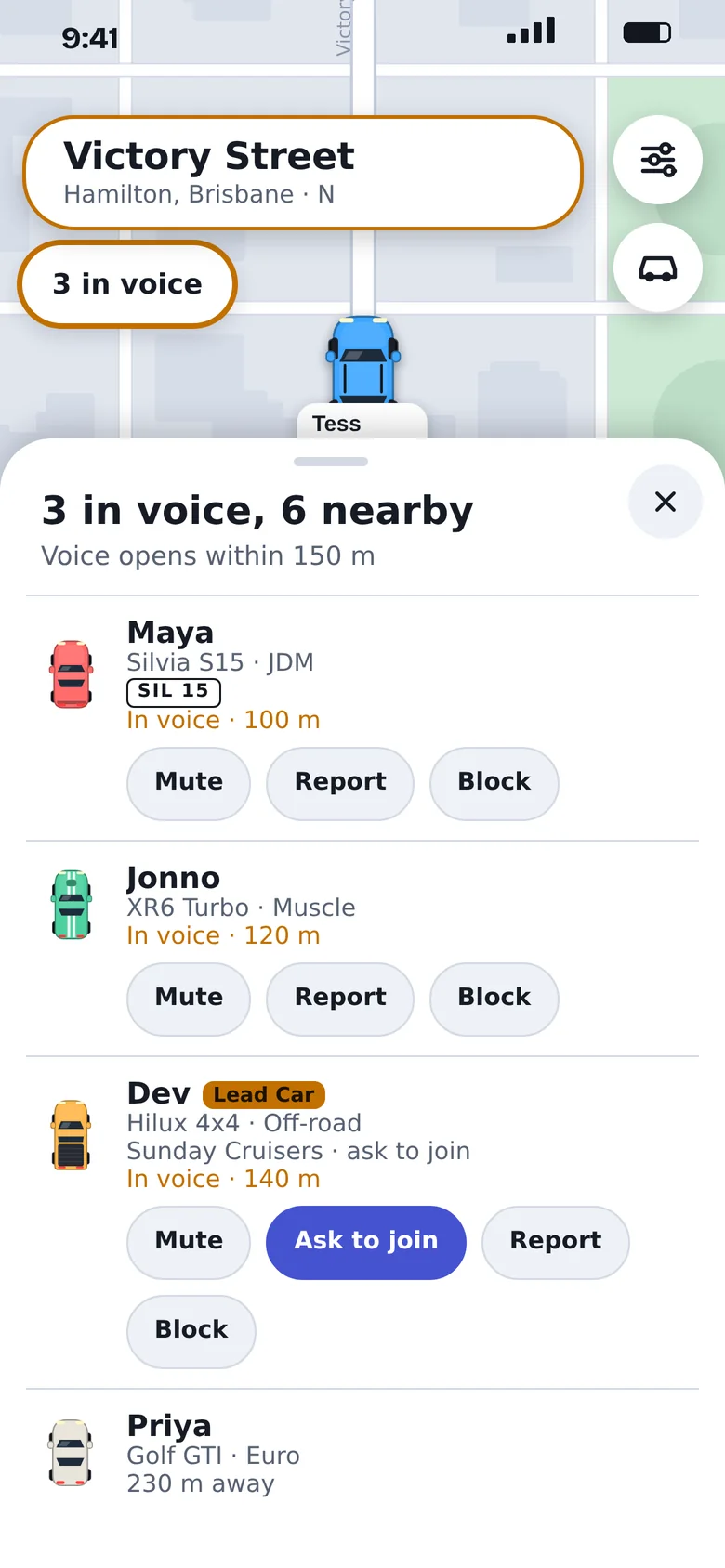
See who is in range.
A live list of everyone around you: their car, how far away they are, and whether you are in voice. Mute, report or block anyone with a tap.
- You set the range. It starts at 150 metres.
- Up to four nearby drivers at a time, nearest first.
- Ask to join a Lead Car's group right from the list.
Your crew stays on the line.
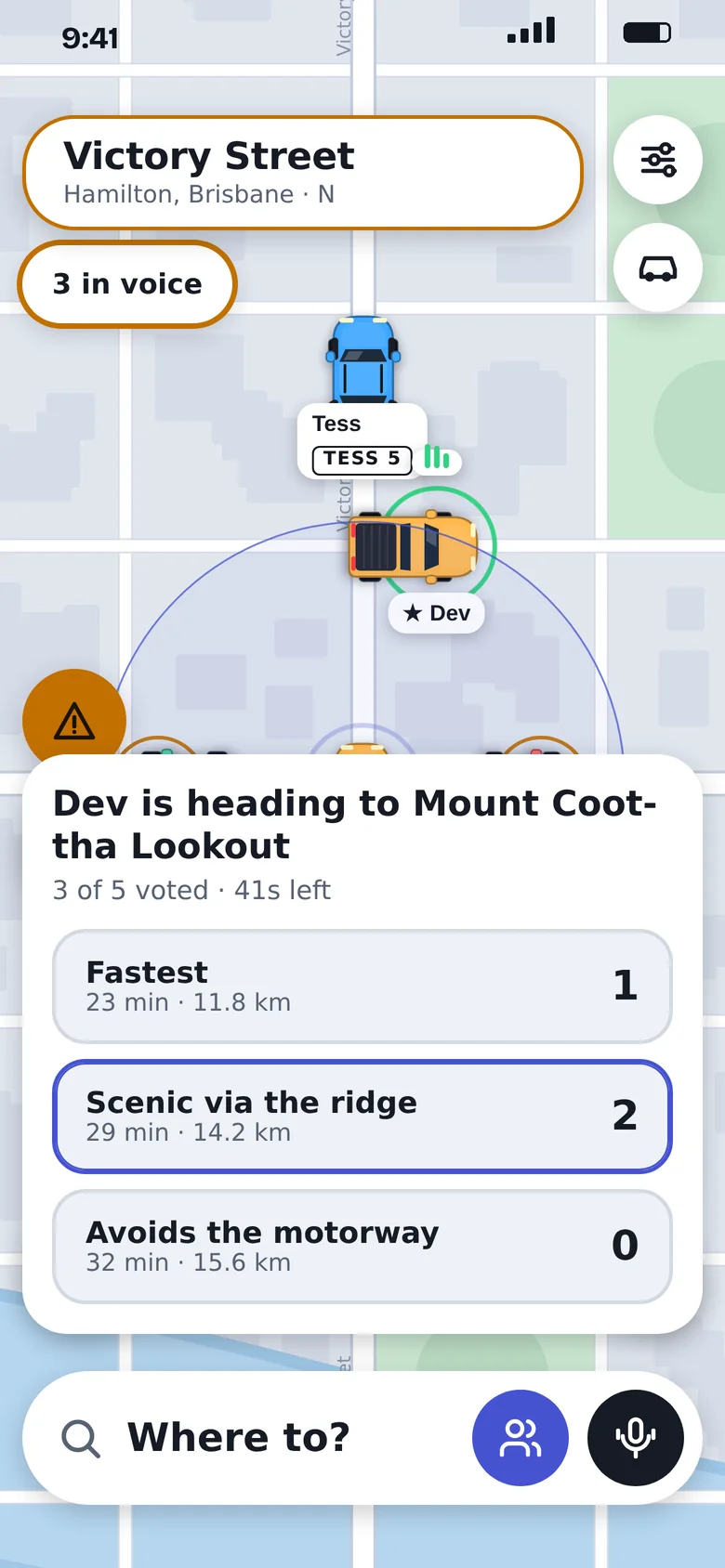
Groups do not drop when you drift apart. The Lead Car sends a destination, the app finds up to three routes, and everyone votes. The majority wins.
- Invite friends with a link.
- Groups of up to 12.
- If the Lead Car leaves, the lead passes to the longest-standing member.
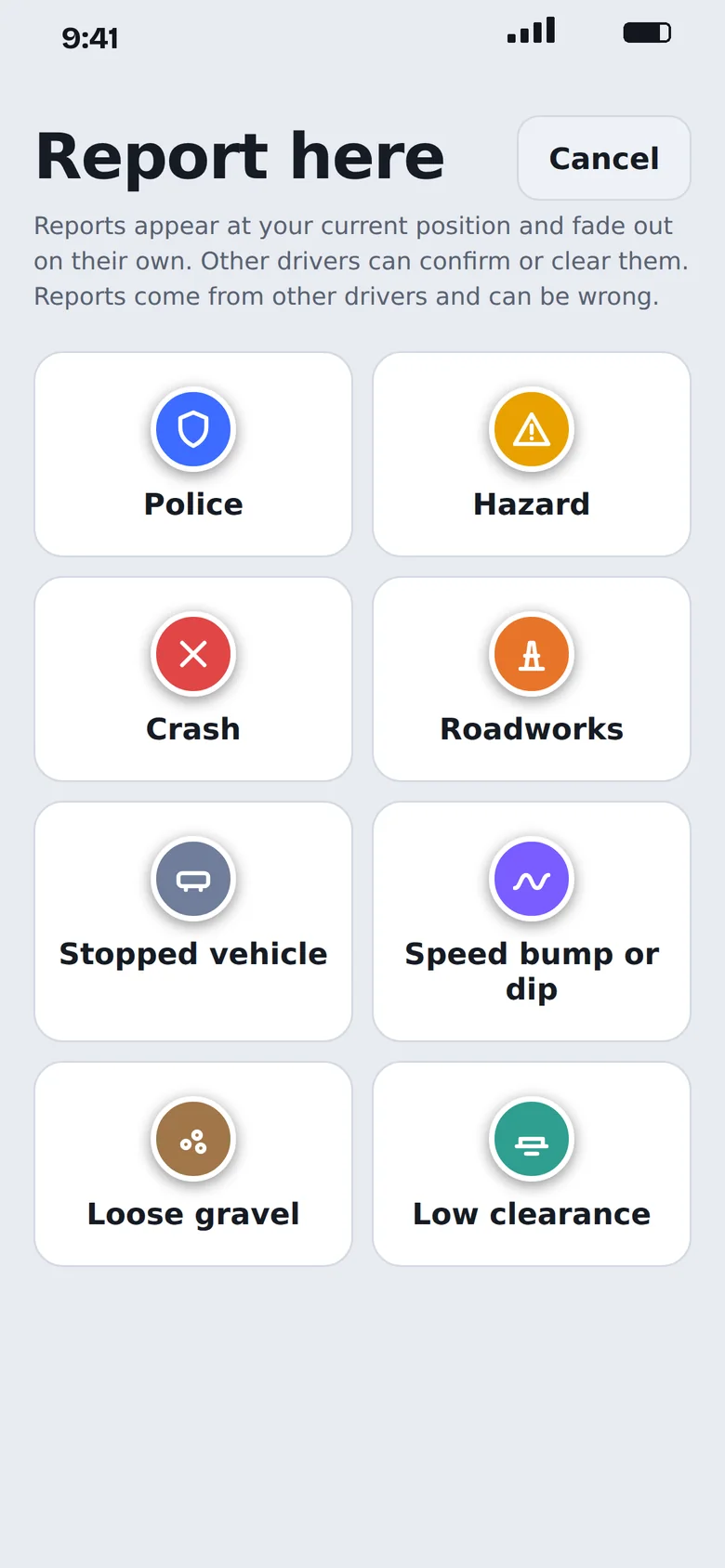
Know what is ahead.
Drivers report hazards, crashes, roadworks, stopped vehicles and more with one tap. Others confirm what is still there and clear what has gone, so old reports fade out.
- Eight kinds of report, from speed bumps to low clearance.
- Police alerts follow local law: shown as wide zones, or switched off, where required.
- Reports come from other drivers and can be wrong.
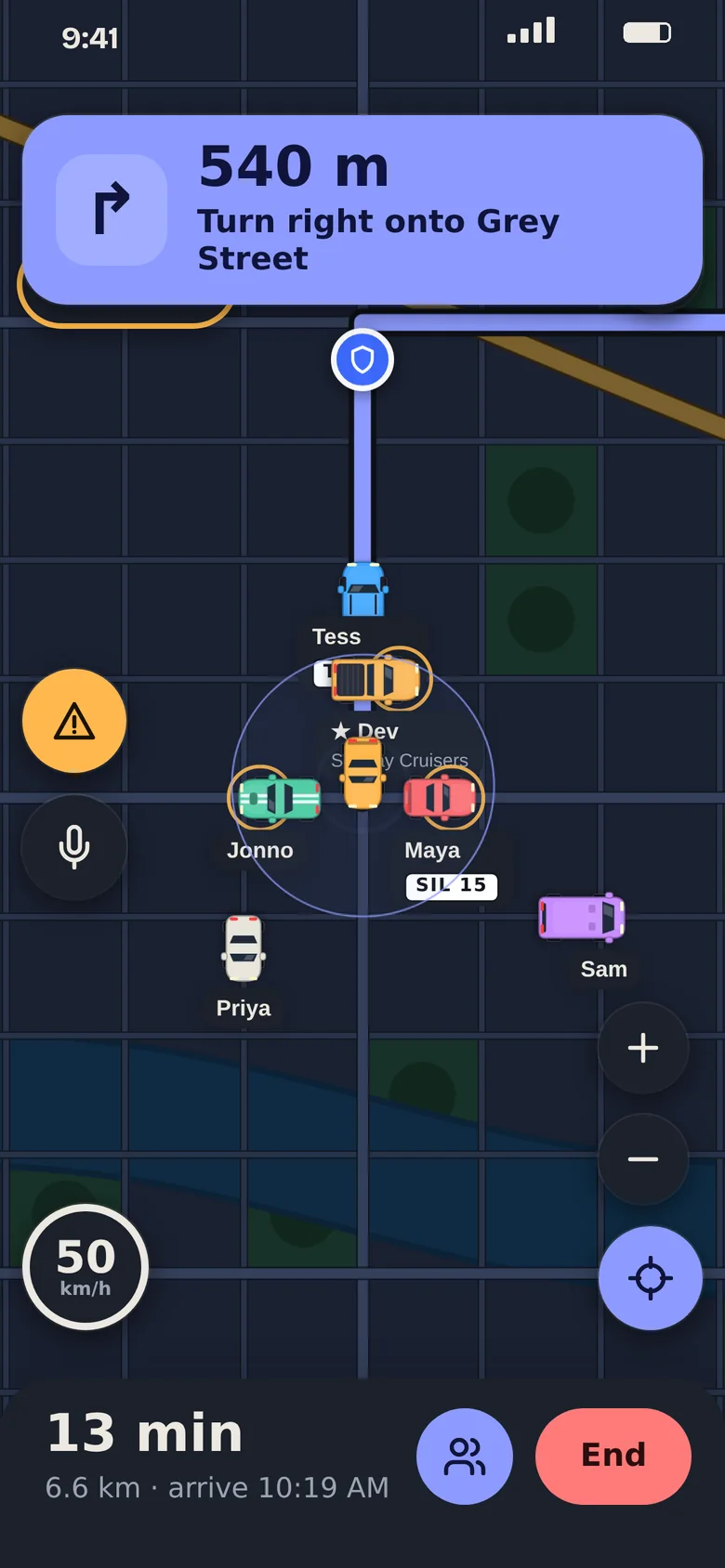
Use it as your everyday navigation app.
RevTalk works on its own as a navigation app. You do not need anyone nearby to use it. Search a place, tap start, and get turn by turn directions on a day or night map.
- Search for any destination, or tap Home or Work.
- Saved places, and saved routes with several stops.
- Spoken directions you can switch off.
- Road reports along your way, and a group route everyone can vote on.
Travel times come from the route and do not include live traffic yet.
Your car on the map.
Nine car types, eight colours or one of your own, and a garage for up to five cars. Add your plate if you want to be recognised. By default only your group sees it.
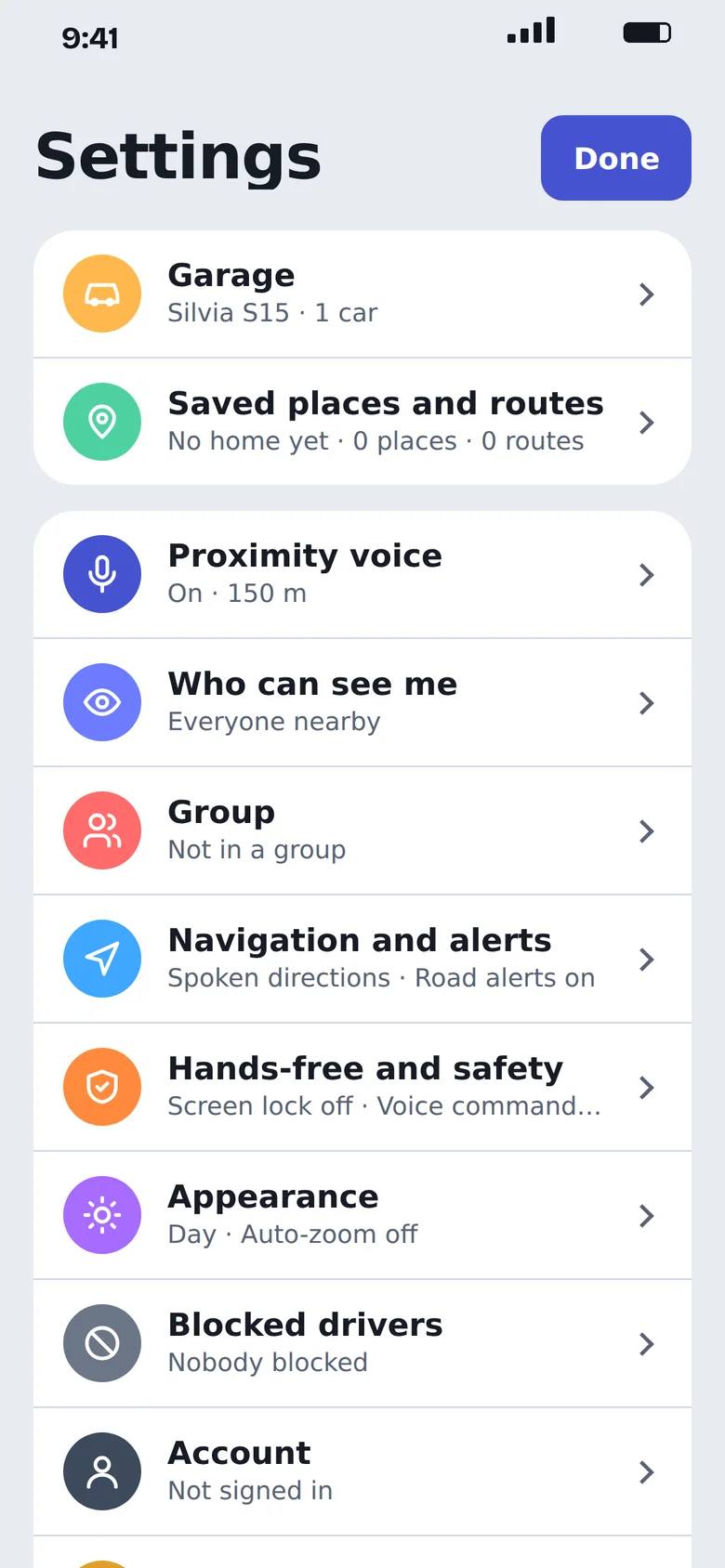
You decide who hears you.
Voice and location are on your terms.
- Location only while the app is open
- Your location is only shared while the app is open.
- Hide or limit who sees you
- Show yourself to everyone nearby, to your group only, or to nobody.
- Mute, report, block
- Mute anyone on the line, report them, or block them for good.
- Plates stay private by default
- Add your plate if you like. Only your group sees it unless you choose otherwise.
- A voice off switch
- Turn proximity voice off and keep the map.
- Set up before you drive
- Mount your phone, set it up, then go. You must follow your local road rules about phones.
Questions.
Can I use RevTalk just for navigation?
Yes. Search a place, tap start, and you get turn by turn directions on a day or night map, with Home and Work shortcuts and saved routes. You do not need anyone nearby. Travel times do not include live traffic yet.
When can I get it?
We are building towards an App Store launch. Join the waitlist and we will email you when it is ready.
What will it cost?
We have not announced pricing. We will tell you before launch.
Who can hear me?
Drivers inside the range you set, and your group. Nobody else. You can mute, hide or switch voice off at any time.
How many people can I talk to at once?
Up to four nearby drivers, plus up to eight people from your group. We may change these limits as we test.
Is it safe to use while driving?
RevTalk is voice first. Set it up before you drive, keep your phone mounted, and follow your local laws on phone use. Do not read the screen while you are moving.
Are police alerts legal?
That depends on where you are. RevTalk follows local rules: in some countries police reports show as wide danger zones, and in others they are switched off. Every report comes from another driver and can be wrong.
Which phones will it run on?
iPhone and Android. Tell us which one you use on the waitlist so we know who to tell first.
Built for motor enthusiasts.
I built RevTalk for people who love cars and love driving them. A lot of the best car talk happens on the road, and RevTalk gives you a way to have it with the people around you, plus the navigation to get where you are going.
Cody, Brisbane
Be first on the line.
Leave your email and we will tell you the day RevTalk is ready. We will only email you about RevTalk.